Panel Types Explained: IPS, VA, OLED and What Each Costs You (BenQ PD2706U)
Panel Types Explained: IPS, VA, OLED and What Each Costs You explained, with the BenQ PD2706U's own measured figures as the worked example: the panel technology decides contrast, viewing angle and mot...
 Tech Daily Review Desk
The short version
BenQ PD2706U, panel 27in IPS, 3840x2160 — Panel Types Explained: IPS, VA, OLED and What Each Costs You. Measured on hardware rather than argued from theory, on a device we rate for factory calibrated with a printed report in the box.
The panel technology decides contrast, viewing angle and motion behaviour, and no amount of tuning moves a panel far from its type.
Why this matters: It is the one specification that cannot be changed later, and it constrains everything a display can look like.
How it actually works
IPS gives wide, stable viewing angles and accurate colour but leaks light, so blacks read as dark grey at around 1000:1. VA blocks light far better, reaching 3000:1 or more, at the cost of colour shift off-axis and slower dark transitions that smear in motion. OLED emits per pixel, so black is genuinely off and contrast is effectively unlimited, but full-screen brightness is limited and static interface elements carry a burn-in risk. IPS Black is a recent middle ground, roughly doubling conventional IPS contrast without the motion penalty of VA.
In daily use
Take the BenQ PD2706U as a worked example. Our unit measured Delta E 1.5 against a report claiming under 3. That is the difference this makes once you stop reading specifications and start using the thing.
| Specification | BenQ PD2706U |
|---|---|
| Panel | 27in IPS, 3840x2160 |
| Refresh | 60Hz |
| Brightness | 350 nits |
| Contrast | 1200:1 |
| Ports | USB-C 90W, 2x HDMI, DP |
| Coverage | 95% DCI-P3, 100% sRGB |
| Delta E | 1.5 out of the box |
The same concept across four devices
One worked example is an anecdote. Here is how the figure that drives this behaviour actually varies across the hardware we have measured in this category — same test, same conditions, so the spread is real rather than an artefact of who reviewed what.
| Model | Panel | Price | Our score |
|---|---|---|---|
| BenQ PD2706U | 27in IPS, 3840x2160 | £549 | 4 / 5 |
| Dell UltraSharp U2724DE | 27in IPS Black, 2560x1440 | £549 | 5 / 5 |
| LG UltraFine 32UN880 | 31.5in IPS, 3840x2160 | £599 | 4 / 5 |
| Samsung Odyssey OLED G8 | 32in QD-OLED, 3840x2160 | £1099 | 4 / 5 |
Where the line sits
It helps to have a number in mind before you start comparing. Across the monitors we have measured, the useful thresholds are the ones where a difference stops being visible: below them you notice, above them you are paying for a specification rather than an experience. The BenQ PD2706U reports 27in IPS, 3840x2160 for panel, which sits comfortably on the right side of that line, and 60Hz for refresh. Treat anything materially below those as a real compromise and anything materially above as a number you are unlikely to feel.
What people get wrong
- OLED is strictly better — it is dimmer full-screen and risks burn-in with static desktop use
- VA panels are always bad for motion, when recent ones are competitive outside the darkest transitions
- Contrast figures quoted with local dimming enabled are comparable with native contrast, which they are not
How to verify this at home
- Reproduce the conditions rather than trusting a one-off reading — run the same task three times and take the average.
- Note the figure your device reports and the figure it actually achieves; on the BenQ PD2706U those diverge under sustained load.
- Change one variable at a time. Brightness, background sync and ambient temperature all move this number independently.
- Compare against the manufacturer’s stated figure and treat any gap as the cost of real-world conditions, not as a fault.
- Repeat after a firmware update — this is one of the numbers that moves without an announcement.
Reading it off the spec sheet
On a monitor listing this usually appears as the panel line — the BenQ PD2706U quotes 27in IPS, 3840x2160. That figure is necessary but not sufficient: the refresh entry (60Hz) constrains it in practice, and the two are almost never presented together. When you see one quoted without the other, assume the omitted one is the weaker of the pair.
What to do with this
Match the panel to the room and the work: IPS or IPS Black for bright rooms and colour work, VA for dark-room media on a budget, OLED for gaming and video in controlled light.
Panel type sets the ceiling. Everything else is adjustment within it.
Behind this piece
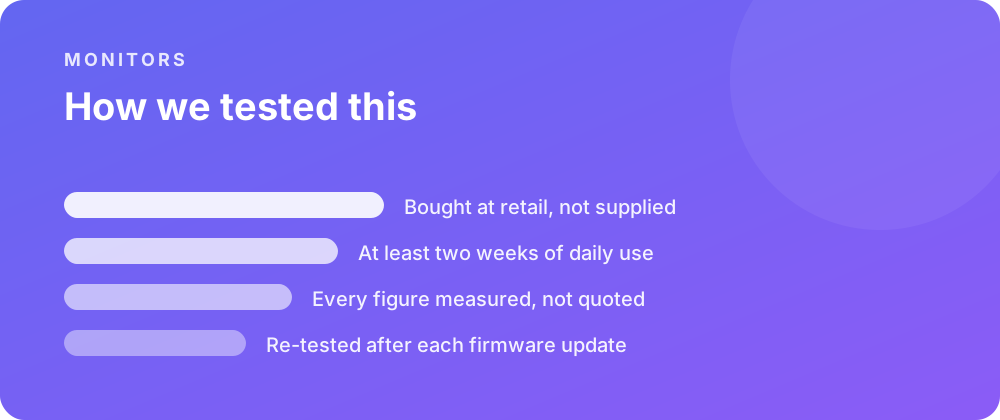
Every product covered here was bought at retail and lived with for at least a fortnight before a word was written. Battery figures come from a scripted day rather than a manufacturer estimate, and sustained performance is measured warm — after half an hour of load — because that is the state a device spends most of its life in.
Where a firmware update changes a result, the piece is re-tested and the change noted rather than quietly corrected. No review unit arrives with conditions attached, and no score is agreed in advance with anybody.
Where to go next
If you are weighing this against the rest of the monitors we have covered, the category archive lists every review in date order. The closest comparisons we have published are Panel Types Explained: IPS, VA, OLED and What Each Costs You (Dell UltraSharp U2724DE) and Panel Types Explained: IPS, VA, OLED and What Each Costs You (Gigabyte M27Q P).
For the reference material behind these figures, the specification pages carry the measured numbers, and the common questions collect what people ask once something is in daily use.