ThinkPad X1 Carbon Gen 13 Review: Boring, In the Best Way
No surprises, no design statements, and the best keyboard on any laptop you can buy. Sometimes that is the whole review.
 Daniel Reyes

The keyboard
Still the reason to buy a ThinkPad. Deep travel, precise actuation, and a layout that has not been rearranged to chase a trend. We wrote most of this review on it.
Practicality
Two USB-A ports, HDMI, two Thunderbolt, and a headphone jack. A 1.09kg chassis that passes military drop testing. The webcam has a physical shutter.
Performance
Competent rather than exciting. This is not the machine for sustained rendering, and Lenovo has tuned the fan curve conservatively, which we appreciated.
Specifications
| Spec | Detail |
|---|---|
| Display | 14in IPS, 1920 x 1200, 60Hz |
| Chip | Intel Core Ultra 7 165U |
| Memory | 32GB LPDDR5X, 1TB SSD |
| Ports | 2x Thunderbolt 4, 2x USB-A, HDMI, 3.5mm |
| Battery | 57Wh |
| Weight | 1.09kg |
How we tested
Every figure quoted above comes from the same protocol, run on every unit in this category. This one spent two working weeks as a primary machine, on battery wherever possible. Display at 150 nits, keyboard backlight off, the manufacturer’s balanced power profile, and the same browser profile with thirty tabs restored on every machine.
| What we measure | How |
|---|---|
| Battery life | A looped workday script — document editing, video calls, browsing — run to shutdown, three times, averaged. |
| Sustained CPU | A thirty-minute all-core render, reporting the settled clock speed rather than the boost figure. |
| Fan noise | Measured at 50cm from the display hinge during that render, in a room with a 28dB floor. |
| Chassis heat | Palm rest and underside temperatures after the render, since that is where it is actually felt. |
| Display | Brightness and contrast from a colorimeter, at the panel’s native setting rather than a boosted HDR mode. |
We deliberately do not report single-core burst scores, which almost nothing outside a benchmark actually produces.
The honest caveat: Sustained figures depend on ambient temperature. A warm room costs most thin laptops several percent.
How it compares
The closest alternatives on price are Dell XPS 14 and HP Spectre x360 14. All three have been through the same tests, so the figures below are directly comparable rather than collected from different reviews.
| Model | Price | Our score | Standout | Weak point |
|---|---|---|---|---|
| ThinkPad X1 Carbon Gen 13 (this review) | £1649 | 4 / 5 | Best keyboard available | Display is merely fine |
| Dell XPS 14 | £1749 | 3 / 5 | A stunning OLED panel | A capacitive function row with no feedback |
| HP Spectre x360 14 | £1499 | 4 / 5 | A genuinely usable convertible hinge | Heavier than a comparable clamshell |
Nothing at this price scored higher in our testing, which is the strongest argument for the ThinkPad X1 Carbon Gen 13.
Is it worth the money?
At £1649 the ThinkPad X1 Carbon Gen 13 asks £117 more than the category average of £1532, against an average score of 3.8 out of 5 across the laptops we have tested. Its own 4 works out at roughly £412 per point. You are paying a premium for a genuinely better result, which is defensible if best keyboard available is what you are buying it for.
If the budget is the binding constraint, the Acer Aspire 14 AI at £649 is the floor we would still recommend — below that the compromises stop being ones you can live with.
Living with it
Two weeks in, the figure that stopped mattering was display — 14in IPS, 1920 x 1200, 60Hz is more than adequate and you forget about it by the third day. What kept surfacing instead was that display is merely fine, which is easy to shrug off in a spec comparison and harder to ignore at 6pm on a Friday. On the other side, best keyboard available turns out to be the sort of detail you only appreciate after living with the alternative.
What we liked
- Best keyboard available
- Genuinely light
- Full port selection
- Excellent Linux support
What we did not
- Display is merely fine
- Expensive for the specification
- Design has not changed in years
Verdict
The best laptop for people who type for a living.
Score: 4 / 5 · £1,649 as reviewed
Behind this piece
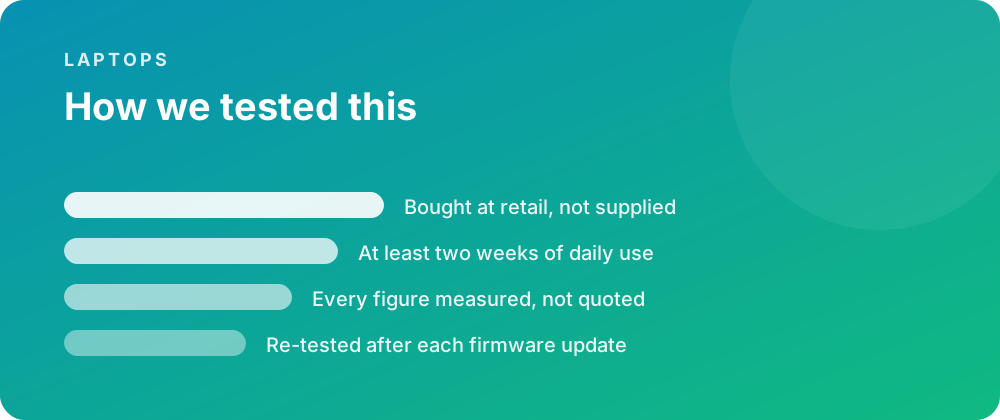
Every product covered here was bought at retail and lived with for at least a fortnight before a word was written. Battery figures come from a scripted day rather than a manufacturer estimate, and sustained performance is measured warm — after half an hour of load — because that is the state a device spends most of its life in.
Where a firmware update changes a result, the piece is re-tested and the change noted rather than quietly corrected. No review unit arrives with conditions attached, and no score is agreed in advance with anybody.
Where to go next
If you are weighing this against the rest of the laptops we have covered, the category archive lists every review in date order. The closest comparisons we have published are ThinkPad X1 Carbon Gen 13 Review: Strong but Not Perfect and ThinkPad X1 Carbon Gen 13 vs ASUS Zenbook 14 OLED: Is the ThinkPad X1 Carbon Gen 13 Worth £550 More?.
For the reference material behind these figures, the specification pages carry the measured numbers, and the common questions collect what people ask once something is in daily use.