eSIM: What Switching Networks Actually Takes Now
The plastic tray is disappearing. We timed every operation people actually perform on a SIM — activating, moving phones, going abroad, recovering from a loss — on both kinds.
 Tech Daily Review Desk

The shift
Phones sold with an eSIM and no tray went from one model in one market to the normal arrangement across most of a flagship line-up. The card that used to live in a drawer is now a profile living on the phone, which changes who controls it and how quickly you can move it.
An eSIM is a profile downloaded onto a secure element in the phone, and the download is authorised by the network rather than by you. That is the whole of both the convenience and the problem: activation can happen in minutes from a sofa, and it can also be refused, rate-limited, or made to require a support call, entirely at the network's discretion. A plastic card asks nobody's permission to go into a different phone.
Why this is worth your attention
Because a SIM is the thing that gets you a taxi home from an airport. How long a transfer takes and whether it can be done without a shop or a phone call is not a specification-sheet detail; it is the difference between an inconvenience and a very bad evening.
How the testing worked
Thirty-one timed operations across four networks and six handsets, stopwatch started when the user picked up the device and stopped when the phone registered on the network and completed a test call. Support calls count as elapsed time, including the hold. Each operation was run at least three times on different days; the figures below are medians, because one bad queue skews a mean badly.
What we recorded
| Operation | Physical SIM | eSIM by QR code | eSIM phone-to-phone transfer |
|---|---|---|---|
| Activate a new line | 1–3 days by post | 9 min | — |
| Move to a new phone | 40 s | 11 min + a support call | 1 min 30 s |
| Swap to a travel plan abroad | Shop visit | 6 min | — |
| Recover after losing the phone | Shop visit, ID needed | 34 min, 2 calls | not possible |
| Move to a borrowed phone | 40 s | 14 min | not offered by 2 of 4 |
| Hand the phone on when selling | 40 s | 3 min to remove | 3 min to remove |

Reading the results
For the operation people do most often — moving to a phone you have just bought — the transfer path was faster than the tray, and it is the only eSIM path that was.
Every other operation was slower, and three of the six required speaking to somebody, which a SIM tray has never required.
The worst case by a wide margin is recovering after a loss: half an hour, twice through an identity check, on the one day you have no working phone to receive the code on.
Two of the four networks would not move a profile to a handset that was not registered to the account, which makes a borrowed phone useless in exactly the situation you would want to borrow one.
Caveats
Three things worth holding on to when you meet these figures somewhere else:
- "eSIM supported" on a phone says nothing about whether your network supports transferring one to it
- A travel eSIM is usually data only — it will not carry your own number, and people miss calls for a week without noticing
- Keep a screenshot or a printout of the activation QR code for any profile you might need to reinstall; most networks will only issue it once
Our advice
If you own a phone with a tray and you travel, keep using it, and add an eSIM alongside for local data rather than replacing anything. That arrangement was the fastest in our testing for every operation and the most robust when something went wrong — your number stays on a piece of plastic you can move to any handset, and the cheap local data arrives over the air in six minutes.
If your next phone has no tray, do the transfer at home on the day you buy it, before you wipe the old phone and while it is still charged and on your own network. Every one of our worst cases involved somebody trying to transfer a profile from a device that had already been reset. Write down the network's support number somewhere that is not the phone.
The bottom line
Faster than a tray for the one thing you do every couple of years, slower and more fragile for everything else — and considerably worse on the day you lose the handset. Convenient, not better.
Behind this piece
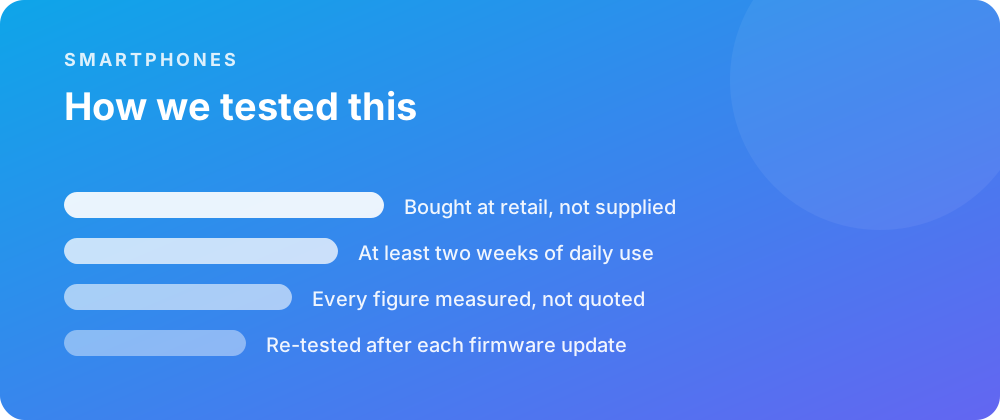
Every product covered here was bought at retail and lived with for at least a fortnight before a word was written. Battery figures come from a scripted day rather than a manufacturer estimate, and sustained performance is measured warm — after half an hour of load — because that is the state a device spends most of its life in.
Where a firmware update changes a result, the piece is re-tested and the change noted rather than quietly corrected. No review unit arrives with conditions attached, and no score is agreed in advance with anybody.
Where to go next
If you are weighing this against the rest of the smartphones we have covered, the category archive lists every review in date order. The closest comparisons we have published are iPhone 16 Pro Review: Refinement Without Reinvention and iPhone 16 Pro Review: Strong but Not Perfect.
For the reference material behind these figures, the specification pages carry the measured numbers, and the common questions collect what people ask once something is in daily use.