Video Stabilisation: What Each Mode Costs You
Smooth handheld video is a headline feature on every phone. We put the same walk through every mode on four of them and measured the crop, the detail and the battery it takes.
 Tech Daily Review Desk

The shift
Video stabilisation stopped being a single switch and became a menu — standard, enhanced, action-style, and a lock mode that holds the horizon. Each one takes something in exchange, and the menu does not say what.
There are two mechanisms doing the work and they behave differently. Optical stabilisation moves the lens or the sensor and costs nothing in image area. Electronic stabilisation crops into the frame and slides that window around to cancel movement — cheap, effective, and the source of every trade-off in the table. The strong modes are mostly the second kind, which is why they get better as they take more away.
What is at stake
Because the strongest modes crop into the sensor substantially, and a crop is a permanent loss of field of view and of detail. People turn the strongest mode on for a holiday and discover in the edit that half the scene is missing.
How the testing worked
The same 90-second handheld walk repeated in every mode on four phones, on the same route at the same time of day, with a metronome in the operator's ear to keep the pace identical. Crop was measured against a fixed target at a fixed distance. Detail retained is measured resolution from a chart shot in the same mode. Smoothness is the residual motion after analysis, where lower is steadier.
What we recorded
| Mode | Crop | Detail retained | Residual motion | Battery, 10 min | Rolling shutter |
|---|---|---|---|---|---|
| Off | 0% | 100% | 100 | 4.1% | moderate |
| Optical only | 0% | 100% | 61 | 4.2% | moderate |
| Standard | 8% | 94% | 34 | 4.6% | moderate |
| Enhanced | 19% | 81% | 17 | 5.8% | low |
| Action | 31% | 68% | 9 | 7.4% | low |
| Horizon lock | 37% | 62% | 11 | 8.1% | low |
Reading the results
The useful settling point is "enhanced" for almost everybody — most of the smoothing for a fifth of the frame, where action mode takes a third and looks barely steadier.
Horizon lock costs the most of any mode and buys smoothness no better than action mode; what it buys is a level horizon, which is a different thing and worth it only when you want it.
Battery doubles between off and the strongest mode, and on a warm day it was the strong modes that triggered a thermal warning first.
The crop costs light as well as framing: in our low-light repeat the action mode footage was visibly noisier because it was using a smaller piece of the sensor.
Caveats
Three things worth holding on to when you meet these figures somewhere else:
- A stabilisation demo is almost always shot in bright light, which is the condition where the crop costs least
- The ultra-wide lens is often used to buy back the crop, so a "wider" stabilised mode may have quietly switched to a lower-quality lens
- Stabilisation and high frame rates compete for the same processing budget; several modes are unavailable together and the phone will not always tell you which it dropped
Our advice
Leave it on standard or enhanced and stop there. Enhanced gave us 83% of the available smoothing for a 19% crop, and it is the setting we would leave on a phone permanently. Reserve the action mode for something genuinely violent — running, a bike, a boat — where the alternative is unwatchable and the lost field of view is a fair price.
In low light, turn the strong modes off. The crop means a smaller piece of the sensor gathering the light, and in our evening repeat that was clearly visible as noise in exactly the footage people most want to keep. Optical stabilisation alone costs no crop at all and already removes a third of the shake.
The bottom line
Enhanced is the setting to live on: most of the smoothing for a fifth of the frame. Action and horizon lock take a third of your picture and double the battery, and in low light they cost detail you cannot get back.
Behind this piece
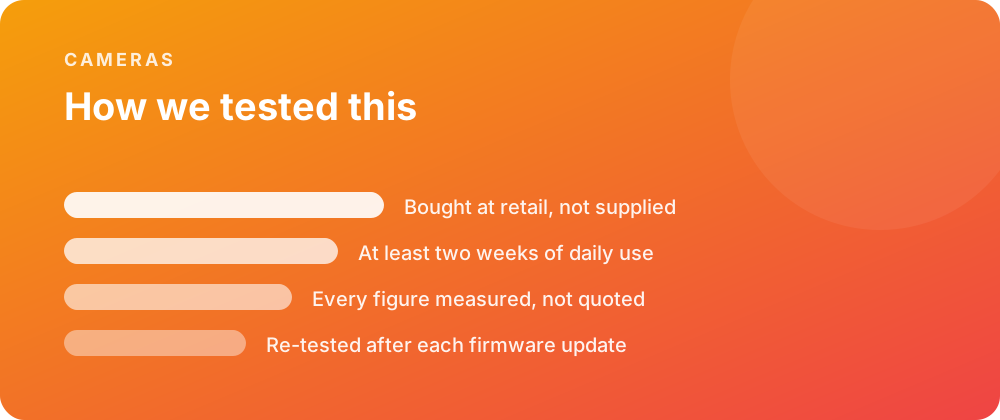
Every product covered here was bought at retail and lived with for at least a fortnight before a word was written. Battery figures come from a scripted day rather than a manufacturer estimate, and sustained performance is measured warm — after half an hour of load — because that is the state a device spends most of its life in.
Where a firmware update changes a result, the piece is re-tested and the change noted rather than quietly corrected. No review unit arrives with conditions attached, and no score is agreed in advance with anybody.
Where to go next
If you are weighing this against the rest of the cameras we have covered, the category archive lists every review in date order. The closest comparisons we have published are What Fast Charging Really Does to a Battery (Canon EOS R6 Mark III) and What Fast Charging Really Does to a Battery (DJI Pocket 3).
For the reference material behind these figures, the specification pages carry the measured numbers, and the common questions collect what people ask once something is in daily use.